Note: You will find a detailed description of how to deliver your data in our supplier manual. We have summarised the most important information for you below.
Data delivery and setting up a user account
You can provide your data by transferring it via an FTP/SFTP server or by manually uploading it to the supplier portal. You will need a user account for both options, which our supplier support team will set up for you. We recommend providing a general email address for your user account that can be accessed by several people in the event that a quick response is necessary. Once your user account has been set up, you will receive an email asking you to set a personal password. Once you have successfully entered your personal password, your user account will be activated for data delivery and our supplier portal.
Manual upload
To upload your file(s) manually, please use the menu item “Quality management > FTP-Upload” in our press database. The requirements for supplying data apply here, as well as for deliveries via an FTP/SFTP server.
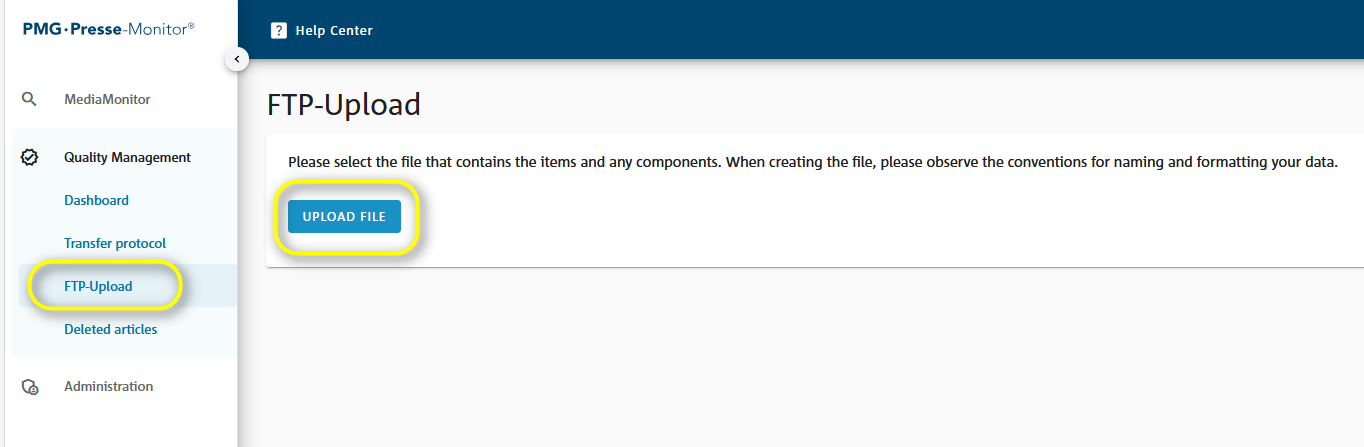
Please select the ZIP folder containing the XML file and any components. Before uploading, please note the naming and formatting specifications for creating the file.
Settings for FTP delivery accounts
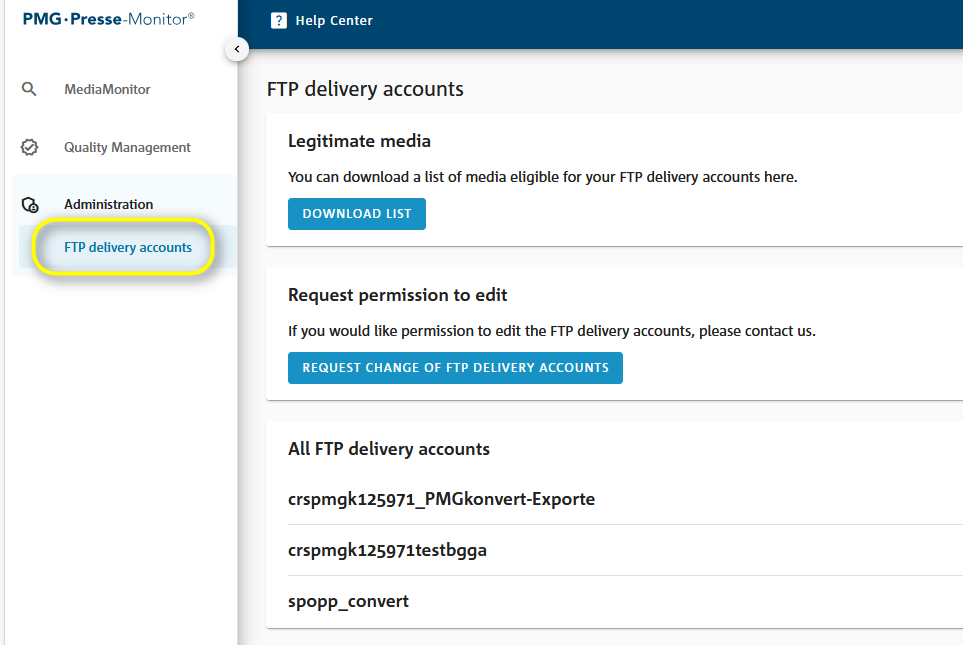
If you wish to make changes to your user account (e.g. email address) or set up additional user accounts, please contact our supplier support team. For an overview of your FTP delivery accounts or a list of authorised/deliverable sources, go to the sub-menu “Administration > FTP delivery accounts”.
Update delivery
Enabling update deliveries for a source allows you to update a delivery, which has already been submitted for a source date, with any revised or missing content. A unique sequence number must be specified in the name of the file. An issue can therefore consist of several deliveries. Deliveries with identical file names will be rejected. Details on update deliveries can be found in the User Manual for Suppliers.
Was this article helpful?
That’s Great!
Thank you for your feedback
Sorry! We couldn't be helpful
Thank you for your feedback
Feedback sent
We appreciate your effort and will try to fix the article