Under “Administration > FTP delivery accounts” is where you will find the settings for your FTP account for supplying articles or content.
Authorised publishers
With your user account, you can supply data for sources assigned to your user account. You can download an overview of authorised sources as a CSV file.
The CSV file contains publication-specific information:
- Source code
- Publication title
- Publishing house / publisher name
- Converting / the name of the converter: In the event that you cannot deliver data in according to our specifications and those must be convert first, the name of the service company is given
- Rights purchase: Our customers can digitise articles themselves instead of getting the rights via the press database
- Article purchase: Our customers have access to articles via the press database
- Article purchase blocked: Articles are not available to customers via the press database
- Direct contact person: Indicate whether you, as a user, are our direct technical contact person for the publication
- Receive status email: Indicate whether you receive automatic status emails regarding the results of the import check for your deliveries
- Receive follow-up email: Indicate whether you receive follow-up emails if expected deliveries have not been registered
Requesting changes to an FTP delivery account
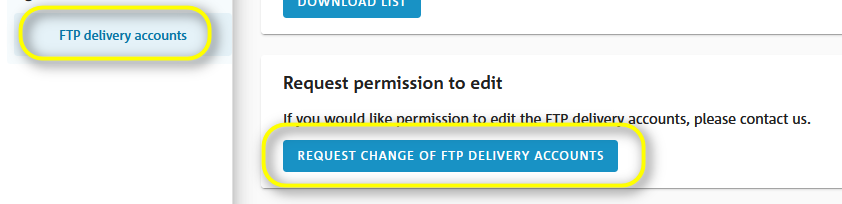
FTP delivery accounts are managed by our supplier support team. This includes changing passwords and deleting user accounts. If you would like to manage your account yourself, you can request authorisation by email. To do so, open your email program by clicking on the button “Request change to FTP delivery accounts”.
All FTP delivery accounts
Displays a list of FTP delivery accounts assigned to your user account.
Changing master data
If your contact details (e.g. telephone number, email address) have changed or you would like to change the settings for notifications about the status of your data delivery via email, please contact our supplier support team.
Was this article helpful?
That’s Great!
Thank you for your feedback
Sorry! We couldn't be helpful
Thank you for your feedback
Feedback sent
We appreciate your effort and will try to fix the article